Problem
I was watching students in India use their phones to document protests, and was struck by the power of an ordinary camera. When institutions, news coverage, or online conversations fail to reflect what is happening on the ground, a recording can preserve a firsthand account.
But people often need to record someone who has more authority or power than they do. In those moments, the only copy of the evidence may be sitting on a phone that can be taken, searched, damaged, or erased.
Vigil started as a simple question: how can a phone help someone record an important encounter quickly, while making a completed recording harder to lose?
Process
I built the first version in a week, using an AI coding agent as a technical partner while I made the product, design, privacy and safety decisions. The app is Swift and SwiftUI: AVFoundation and Apple’s MultiCam APIs for capture, LocalAuthentication and iOS file protection for the Vault, the Google Drive API for user-controlled backup, and App Intents for the Action Button shortcut.
The hardest work was iOS camera state. Switching between single-camera and MultiCam sessions initially crashed or froze the layout, and camera ownership could become unstable after unlocking the phone, returning from the background, or ending a call. Most of the debugging happened on a physical iPhone, crash log by crash log.
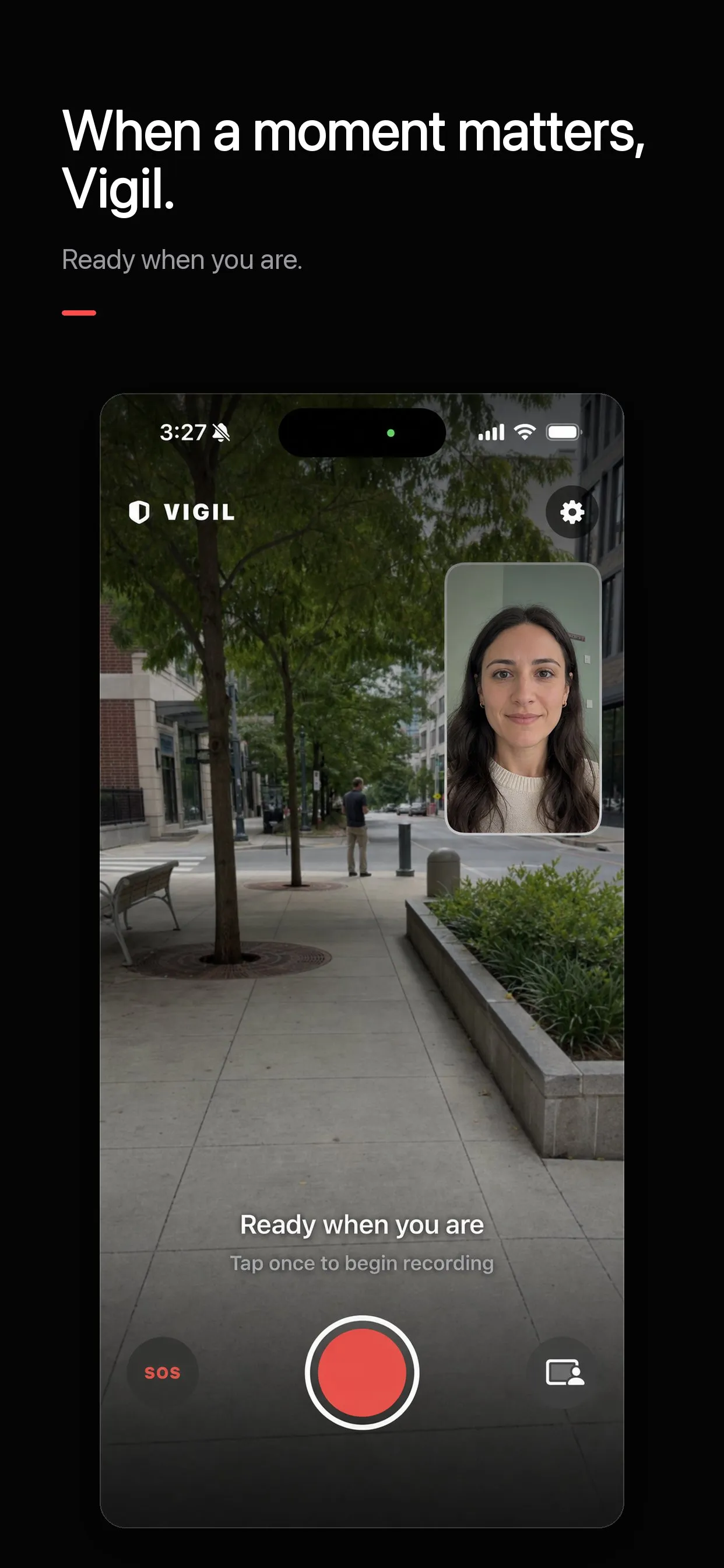
The design challenge was the opposite of most apps: the person using it may be under stress. We repeatedly removed navigation, duplicated status messages, and unnecessary controls until the main screen communicated only what mattered: whether Vigil is ready, recording, or saving.
The lesson underneath all of it is that a safety product has to be honest about its failure modes. A reassuring interface is not enough. The app needs understandable storage states, conservative claims, and documentation explaining what happens if recording is interrupted, the network disappears, or the phone is taken before an upload completes.
Solution
Vigil is an open-source iOS safety camera, available free on the App Store. Open the app and start recording with one large control, or start it from the iPhone’s Action Button without unlocking anything. It records with the rear camera, the front camera, or both at once. Screen Curtain blanks the preview and drops the brightness while recording continues, without hiding the timer, the stop control, or Apple’s camera indicators.
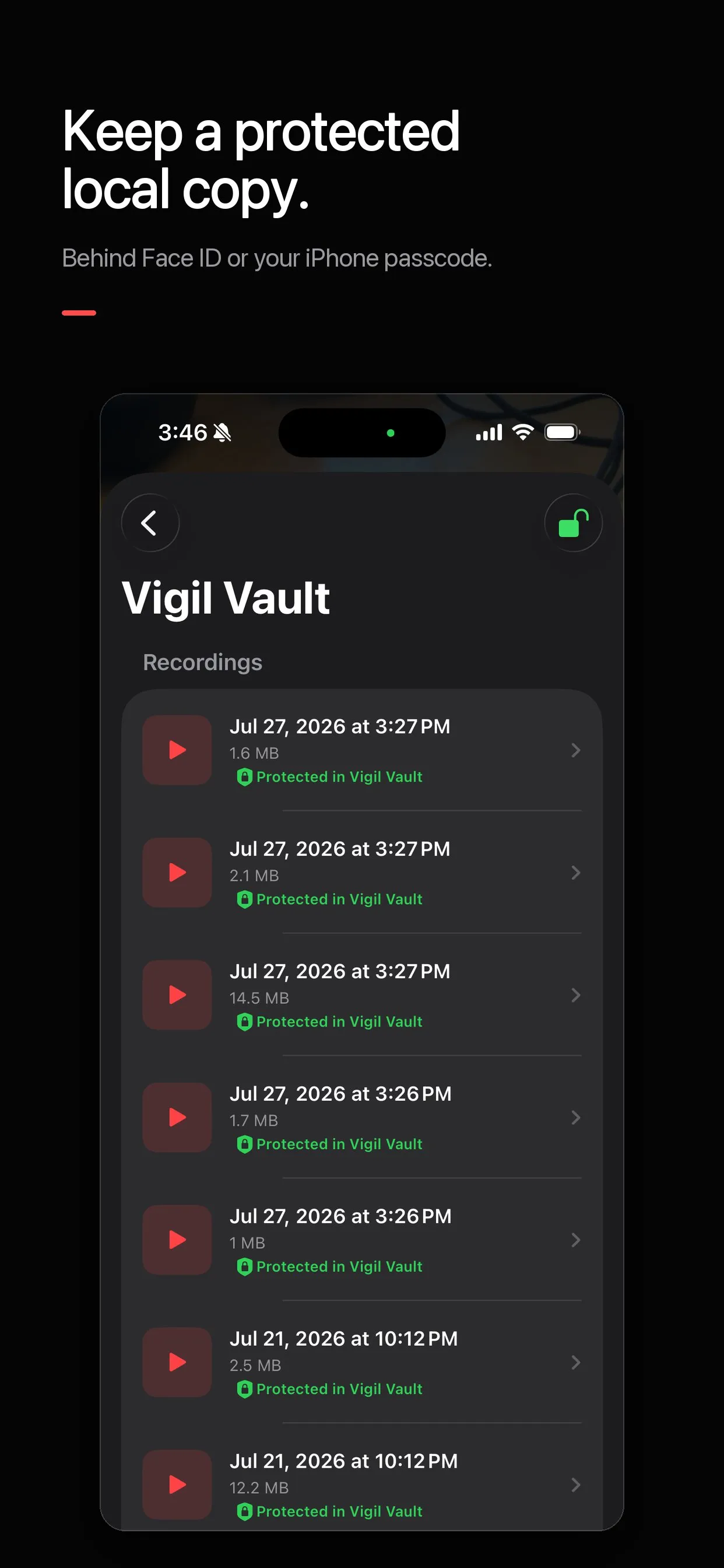
Every completed recording lands in the Vigil Vault, behind Face ID or the passcode, with optional copies to Photos or the user’s own Google Drive. If the app is interrupted or sent to the background, the active clip is finalized and protected, and recording resumes into a new clip when the camera is available again. An SOS control hands off to the iPhone’s emergency call screen.
There is no Vigil account, no ads, no analytics, and no server of mine anywhere. Recordings stay on the phone unless their owner chooses otherwise. The v1 backs up recordings only after a clip is finalized; it does not yet stream while recording, so it should not be treated as tamper-proof or as the only copy of critical evidence. That limitation is documented rather than hidden.
Impact
Vigil 1.0 launched free on the App Store on 20 August 2026. The source code, privacy model, security limitations and roadmap are public, so the project’s claims can be inspected rather than taken on trust. The public TestFlight remains open for people who want to help test upcoming changes.
Next on the roadmap: encrypting and uploading independently playable segments while recording, private iCloud backup, and an exportable chain-of-custody record.
The other thing this project proved is personal. I am a designer and founder, not a trained iOS developer, and Vigil went from idea to a working, documented, installable app in a week. Building is no longer gated on being able to write every line yourself, and I intend to keep using that.